
Google Gemini 4 Argon that beat OpenAI Astra, Anthropic Fable 5.1, and Opus 5.5.
New model by Google: Gemini 4 Argon that beat OpenAI Astra, Anthropic Fable 5.1, and Opus 5.5.
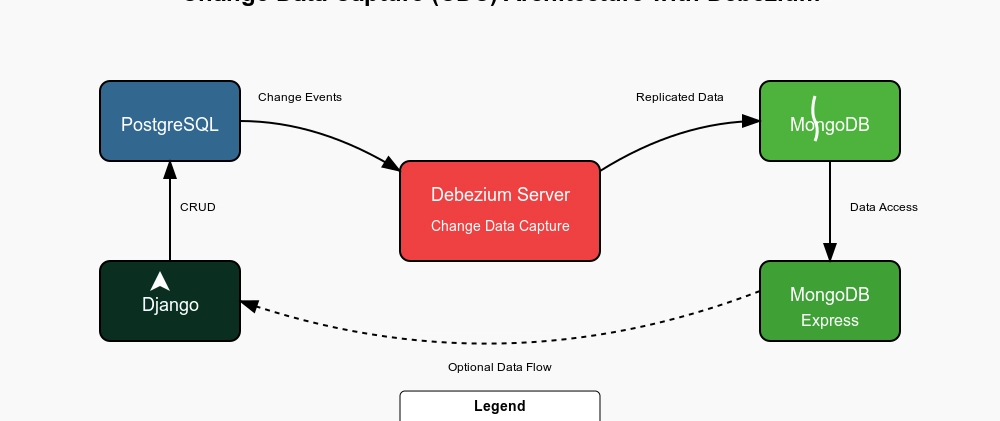
When I explored CDC (Change Data Capture) implementations without Kafka, I found very little helpful material online. Most examples heavily depended on Kafka, but for many smaller systems, Kafka can feel too heavy.
So, I decided to create a clear, working project using Debezium Server (without Kafka) — integrated with Django, PostgreSQL, MongoDB and Mongo Express for Viewing the Changes — and document it for others.
This article will walk you through the architecture and steps with diagrams and screenshots.
👉 GitHub Repository: https://github.com/maqboolthoufeeq/cdc_debezium
Press enter or click to view image in full size
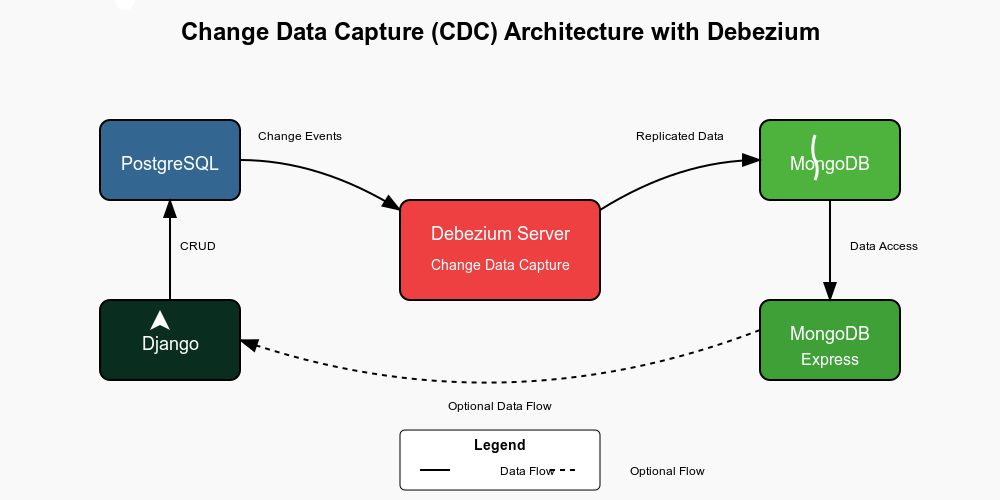
Architecture Diagram — CDC
This project shows how to capture database changes from a Django application (running on PostgreSQL), stream them using Debezium Server, and store the change events in MongoDB for analysis or auditing.
Main Components:
Django (Admin Panel & API)
PostgreSQL (Data Storage)
Debezium Server (CDC without Kafka)
MongoDB (Stores Change Events)
Mongo Express (Web Viewer for MongoDB)
Here’s the overall data flow:
Django Admin updates data
PostgreSQL stores the updated data
Debezium Server detects changes
Debezium Server sends CDC events to MongoDB
Mongo Express lets us easily view the events
Folder Structure
cdc_debeizum/
├── README.md
└── cdc_debezium_server_mongo_django/
    ├── docker-compose.yml
    ├── debezium-config
    ├── postgres-conf
    └── django
Clone the repository:
git clone https://github.com/maqboolthoufeeq/cdc_debezium.git
cd cdc_debezium/cdc_debezium_server_mongo_django
2. Build and Start the Services:
docker-compose build
docker-compose upOnce everything is running, navigate to:
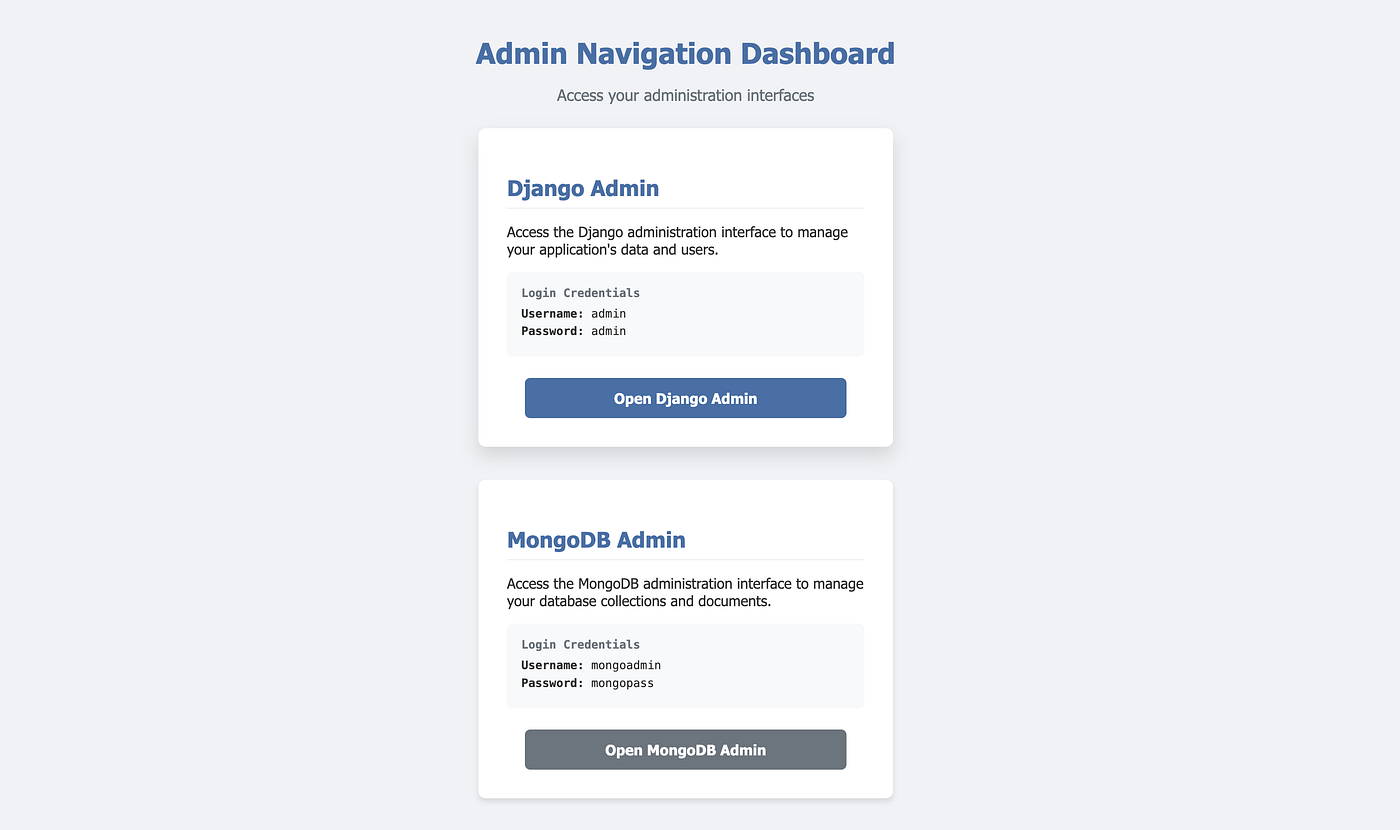
Service Navigation Panel: http://localhost:8000/
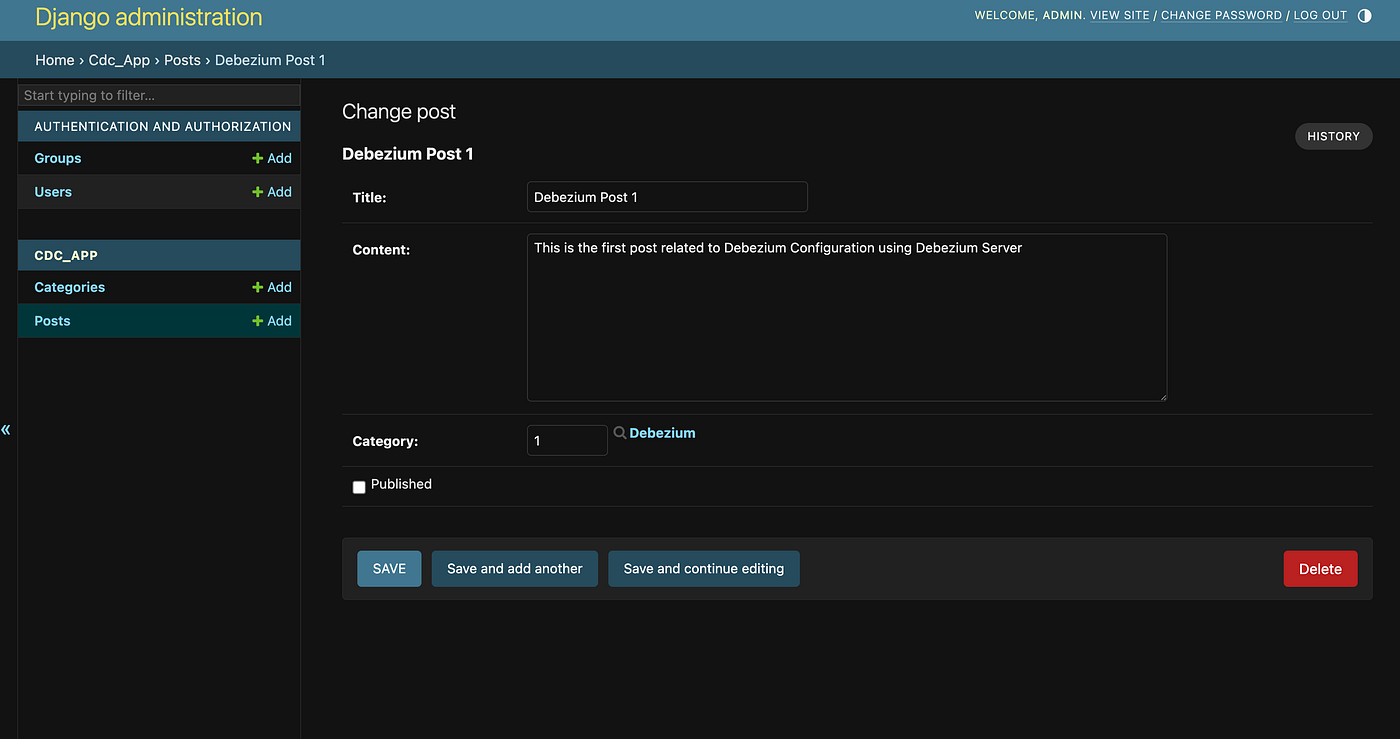
Django Admin Panel: http://localhost:8000/admin
Mongo Express Dashboard: http://localhost:8086
Service Navigation Panel will show the other navigation links (Default passwords are already configured automatically.)
🧩 Step-by-Step Flow
Navigate to http://localhost:8000/
Press enter or click to view image in full size
Press enter or click to view image in full size
Press enter or click to view image in full size
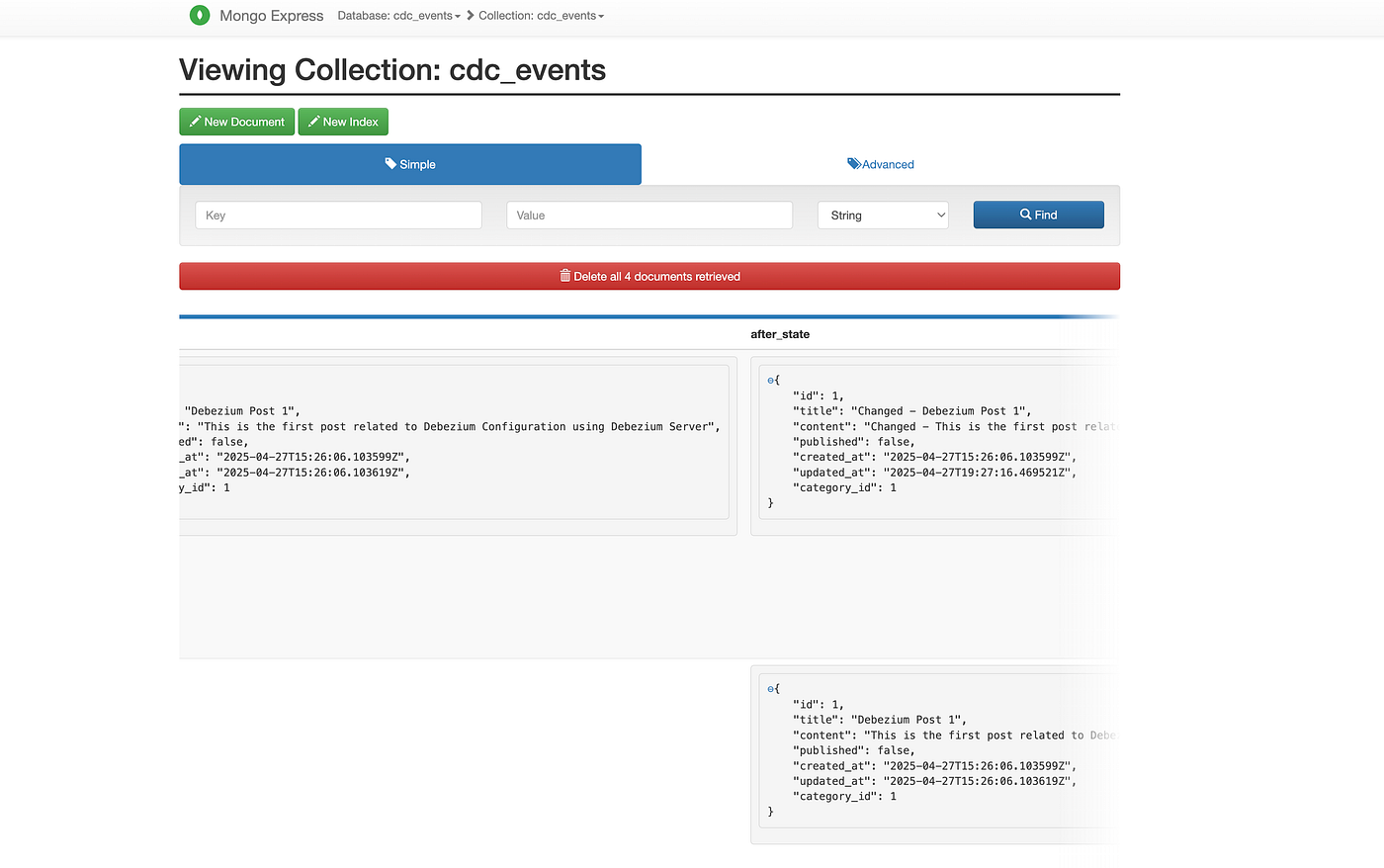
These are enough for your initial Experience, More technical details will be given below
In postgresql.conf, (cdc_debezium_server_mongo_django/postgres-conf/postgresql.conf ) we ensure:
wal_level = logical
max_wal_senders = 1000
max_replication_slots = 1000In application.properties(cdc_debezium_server_mongo_django/debezium-config/application.properties):
# ============================================================================
# DEBEZIUM POSTGRESQL CDC CONFIGURATION
# ============================================================================

# Core Connector Configuration
# ----------------------------
debezium.source.connector.class=io.debezium.connector.postgresql.PostgresConnector
debezium.source.offset.storage.file.filename=data/offsets.dat
debezium.source.offset.flush.interval.ms=60000
debezium.source.provide.transaction.metadata=false

# PostgreSQL Connection Details
# ----------------------------
debezium.source.database.hostname=postgres
debezium.source.database.port=5432
debezium.source.database.user=user
debezium.source.database.password=password
debezium.source.database.dbname=mydb
debezium.source.database.server.name=postgres_server

# Change Data Capture (CDC) Configuration
# ---------------------------------------
# Using pgoutput logical decoding plugin (native PostgreSQL)
debezium.source.plugin.name=pgoutput
debezium.source.publication.name=dbz_publication
# Only capture changes from specific tables
debezium.source.table.include.list=public.cdc_app_post,public.cdc_app_category
debezium.source.schema.include.list=public
# Don't emit a tombstone event on DELETE operations
debezium.source.tombstones.on.delete=false
# Always take an initial snapshot when starting
debezium.source.snapshot.mode=initial
# Include schema change events
debezium.source.include.schema.changes=true
# Handle decimal types precisely
debezium.source.decimal.handling.mode=precise

# Topic Configuration
# ------------------
# Required prefix for topic names even without Kafka
debezium.source.topic.prefix=postgres_cdc

# Data Format Configuration
# ------------------------
debezium.format.value=json
debezium.format.key.converter=org.apache.kafka.connect.json.JsonConverter
debezium.format.value.converter=org.apache.kafka.connect.json.JsonConverter
# Disable schema information in messages
debezium.source.key.converter.schemas.enable=false
debezium.source.value.converter.schemas.enable=false

# HTTP Sink Configuration
# ----------------------
debezium.sink.type=http
debezium.sink.http.url=http://django:8000/api/cdc/
debezium.sink.http.timeout.ms=30000
debezium.sink.http.retry.interval.ms=30000
debezium.sink.http.header.Content-Type=application/json

# Logging Configuration
# --------------------
quarkus.log.console.json=false
Key points:
We specify pgoutput as the decoding plugin.
We explicitly limit capture to selected tables (Post, Category).
CDC events are posted directly to an HTTP endpoint or written to MongoDB.
Custom management command init_cdc.py (cdc_debezium_server_mongo_django/django/cdc_app/management/commands/init_cdc.py) sets up:
Logical replication slots.
Publications for selected tables.
Replica identities (so we can capture before and after states).
Snippet:
from django.conf import settings
from django.core.management.base import BaseCommand
from django.db import connection

from cdc_app.models import Post, Category

DEBEZIUM_PUBLICATION_NAME = getattr(
    settings, "DEBEZIUM_PUBLICATION_NAME", "dbz_publication"
)
DEBEZIUM_SLOT_NAME = getattr(settings, "DEBEZIUM_SLOT_NAME", "debezium")

# Get the actual table names from the models
TABLES_FOR_CDC = [Post._meta.db_table, Category._meta.db_table]


class Command(BaseCommand):
    help = (
        "Initialize CDC by setting replication permissions, creating a "
        + "logical replication slot (if needed), and configuring publications and "
        + "replica identities for the specified models."
    )

    def handle(self, *args, **options):
        self.stdout.write("Starting CDC initialization...")

        # Get current database user from connection
        with connection.cursor() as cursor:
            cursor.execute("SELECT current_user")
            current_user = cursor.fetchone()[0]
            self.stdout.write(f"Current database user: {current_user}")

        # Global commands: these apply to the entire database.
        global_commands = [
            f'ALTER ROLE "{current_user}" WITH REPLICATION',
            (
                f"SELECT pg_create_logical_replication_slot('{DEBEZIUM_SLOT_NAME}', 'pgoutput') "
                f"WHERE NOT EXISTS (SELECT 1 FROM pg_replication_slots WHERE "
                f"slot_name = '{DEBEZIUM_SLOT_NAME}')"
            ),
        ]
        with connection.cursor() as cursor:
            for command in global_commands:
                self.stdout.write(f"Executing global command: {command}")
                try:
                    cursor.execute(command)
                except Exception as e:
                    self.stderr.write(
                        f"Error executing global command:\n{command}\nError: {e}"
                    )
                    raise e

        with connection.cursor() as cursor:
            # Determine which of the specified tables exist in the database.
            existing_tables = []
            for table in TABLES_FOR_CDC:
                cursor.execute(
                    """
                    SELECT EXISTS (
                        SELECT 1
                        FROM information_schema.tables
                        WHERE table_schema = current_schema()
                            AND table_name = %s
                    )
                    """,
                    [table],
                )
                exists = cursor.fetchone()[0]
                if exists:
                    existing_tables.append(table)
                else:
                    self.stdout.write(f"Table '{table}' does not exist, skipping.")

            # Skip CDC conf if none of the tables exist.
            if not existing_tables:
                self.stdout.write(
                    "No specified tables found, skipping CDC configuration."
                )
                return

            # Create a publication with the existing tables.
            publication_name = DEBEZIUM_PUBLICATION_NAME
            tables_sql = ", ".join(f'"{table}"' for table in existing_tables)
            publication_command = f"""
                DO $$
                BEGIN
                    IF NOT EXISTS (
                        SELECT 1
                        FROM pg_publication
                        WHERE pubname = '{publication_name}'
                    ) THEN
                        CREATE PUBLICATION {publication_name}
                        FOR TABLE {tables_sql};
                    END IF;
                END$$;
            """

            self.stdout.write(
                f"Executing publication command:\n{publication_command.strip()}"
            )
            try:
                cursor.execute(publication_command)
            except Exception as e:
                self.stderr.write(f"Error executing publication command: {e}")
                raise e

            # Alter each table to use full replica identity.
            for table in existing_tables:
                alter_command = f'ALTER TABLE "{table}" REPLICA IDENTITY FULL'
                self.stdout.write(f"Executing: {alter_command}")
                try:
                    cursor.execute(alter_command)
                except Exception as e:
                    self.stderr.write(
                        f"Error executing alter command for table '{table}': {e}"
                    )
                    raise e

        self.stdout.write(self.style.SUCCESS("CDC initialization complete."))
This script auto-runs during Django container startup.
Key services in docker-compose.yaml:
postgres (Debezium-enabled by the commad)
django
debezium (Debezium Server 3.0)
mongodb
mongo-express
All services are on a shared Docker network for easy communication.
✅ Simple and Dockerized
✅ No Kafka (Lightweight)
✅ Real Change Data Capture with Debezium
✅ Example models (Posts, Categories) for quick testing
✅ Automatic provisioning and initialization
✅ Easy viewing via Mongo Express
You can use this project as a starter template for adding CDC to your own applications!
Change Data Capture doesn’t have to be complicated. With Debezium Server and smart choices like MongoDB as a sink, you can build powerful, event-driven architectures — without the heavy lifting of Kafka.
Feel free to clone, modify, and extend the project. I built this because I couldn’t find a good resource online — so now you have one!
👉 GitHub Repository: https://github.com/maqboolthoufeeq/cdc_debezium
If you find it helpful, consider ⭐ starring the repo!
#ChangeDataCapture #Debezium #DebeziumServer #NoKafka #CDC #Django #PostgreSQL #MongoDB #DockerCompose #Microservices #EventDrivenArchitecture #SoftwareEngineering #BackendDevelopment #DatabaseEngineering #OpenSource #FullStackDevelopment #SystemDesign #PythonDeveloper #DataEngineering #DatabaseReplication #DevOps #CloudNative
Was this helpful?
Give it a zap to let me know.
Or share it with someone
New model by Google: Gemini 4 Argon that beat OpenAI Astra, Anthropic Fable 5.1, and Opus 5.5.
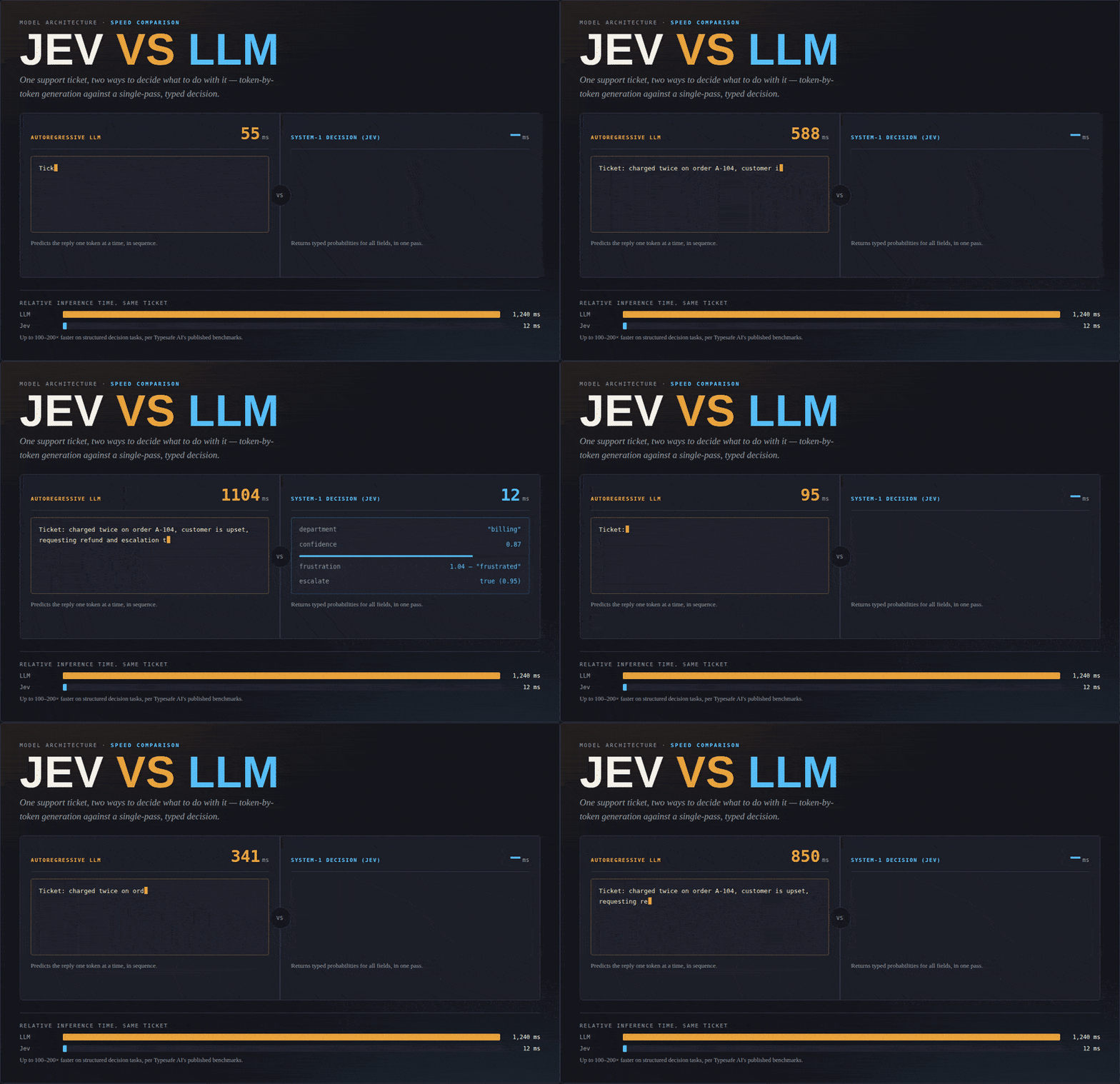
Why TypeSafe AI’s new “System One” model is fast, inexpensive and potentially important—and where its limitations begin.
Anthropic has released Claude Fable 5.1 and Claude Mythos 5.1. They’re the world’s most advanced models for coding and knowledge work—and their research capabilities offer an early glimpse of how AI models will contribute to scientific progress.