Claude Code gives you two important choices:
Which model should I use?
And which effort level should I choose?
At first, they sound like the same thing.
They are not.
Here is the simplest way to understand it:
Model = how capable Claude is
Effort level = how carefully Claude works before replying
This small difference matters a lot.
It can help you get better answers, reduce mistakes, and avoid spending more than necessary.
The Big Idea
Think of Claude Code like working with a developer.
The model is the developer you choose.
The effort level is how much time and attention that developer gives to your task.
For example:
Setting | Simple meaning | Real-world example |
|---|
Model | Capability | Junior, senior, expert, specialist |
Effort level | Thoroughness | Quick look, careful review, deep investigation |
So when Claude gives a bad result, the answer is not always:
“Use the biggest model.”
Sometimes the better answer is:
“Use higher effort.”
And sometimes the real issue is:
“Give Claude better context.”
What Happens When You Ask Claude Code Something
When you type a request into Claude Code, Claude does not only receive your message.
It also receives extra context, such as:
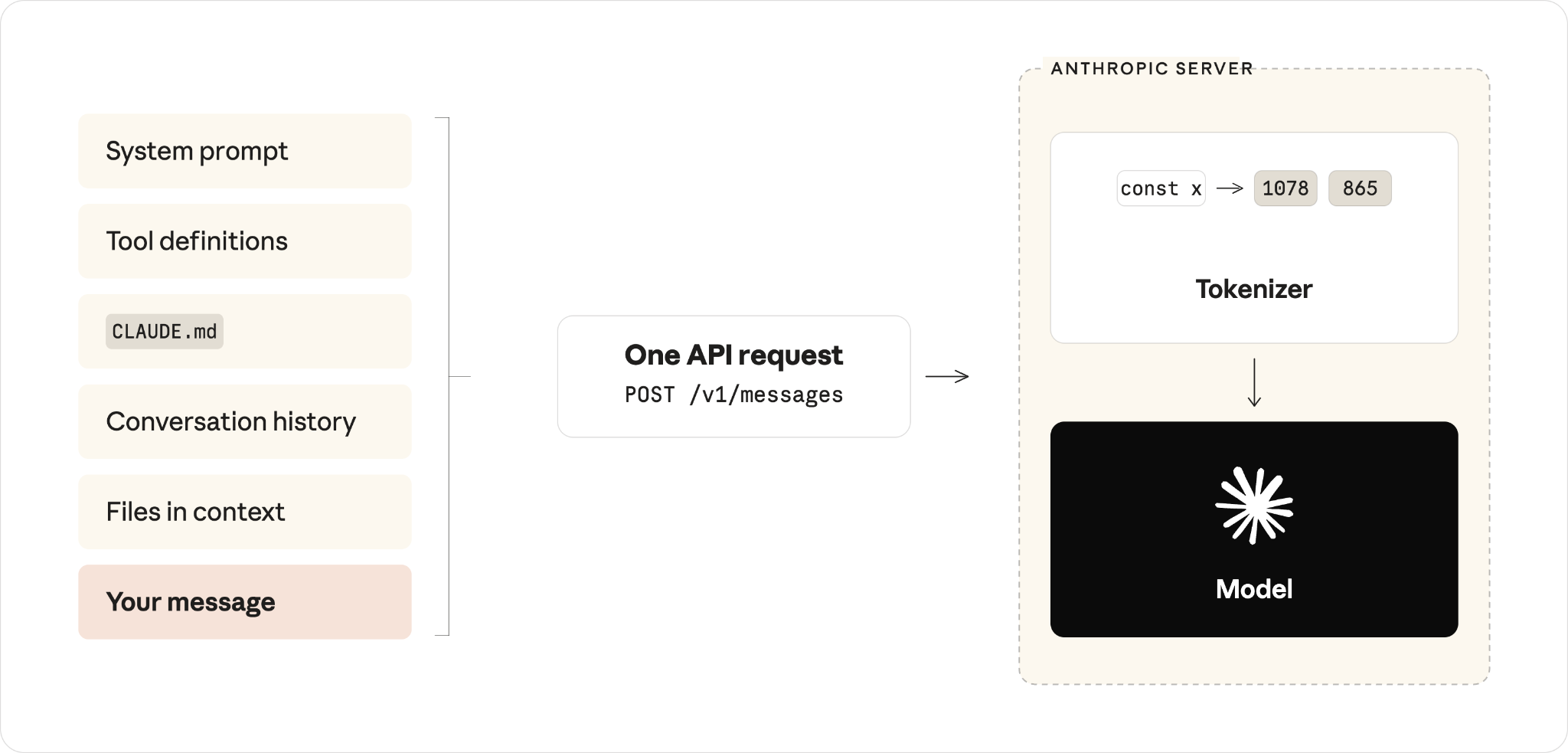
All of this is packed together and sent as one request.
Note:
Claude Code works better when the right files, instructions, and project context are available. A stronger model cannot magically fix missing context every time.
Model Selection: Choosing the Right Brain
The model controls Claude’s general ability.
A stronger model usually understands harder problems better.
A smaller model is usually enough for routine tasks.
Use a smaller model when the task is simple
Good examples:
Use a stronger model when the task is hard
Good examples:
debugging a subtle production issue
understanding a large unfamiliar codebase
making architecture decisions
fixing a problem with unclear causes
solving something where previous attempts failed
Simple rule:
If the problem itself is hard, choose a stronger model.
How Claude Understands Your Request
Before Claude can answer, your text is split into small pieces called tokens.
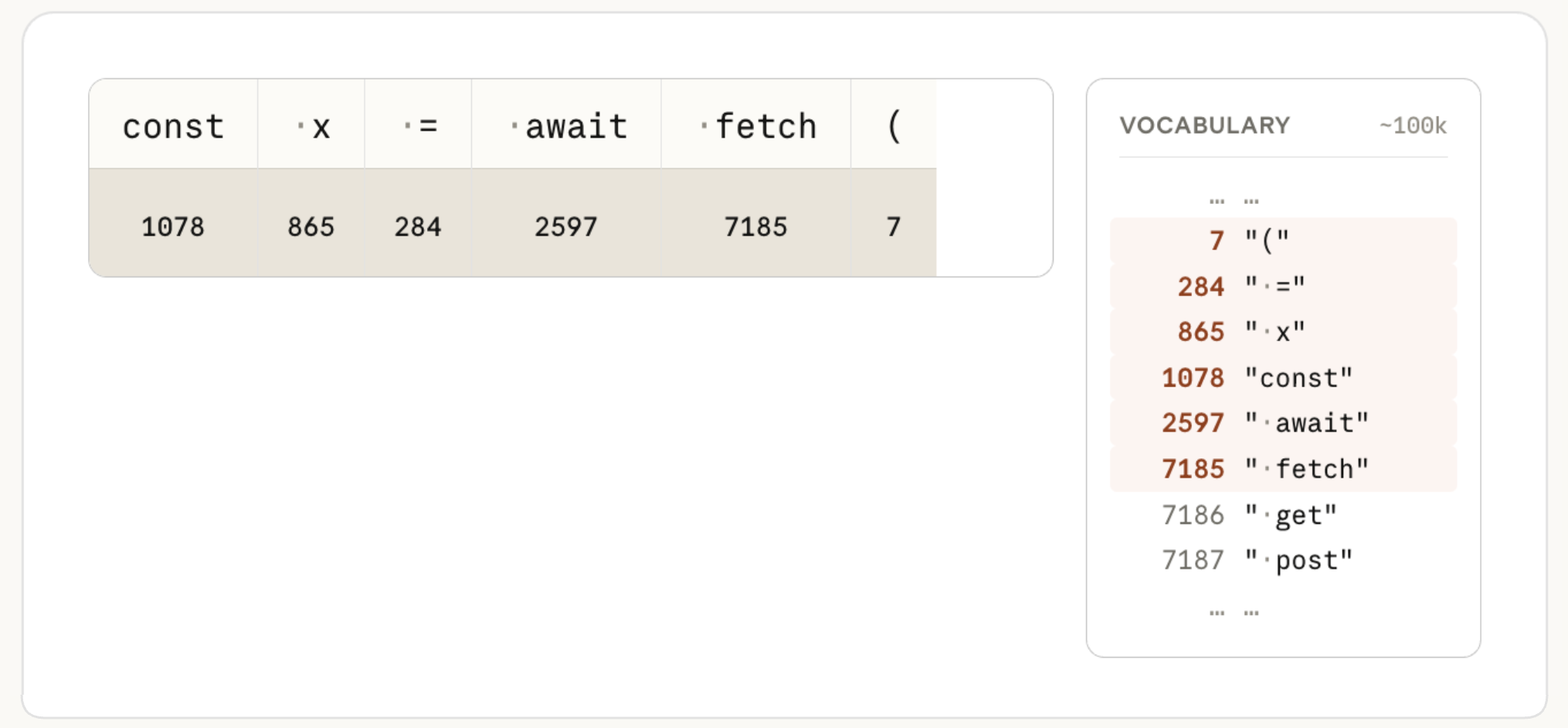
These tokens are converted into numbers.
Claude then uses those numbers to predict what should come next.
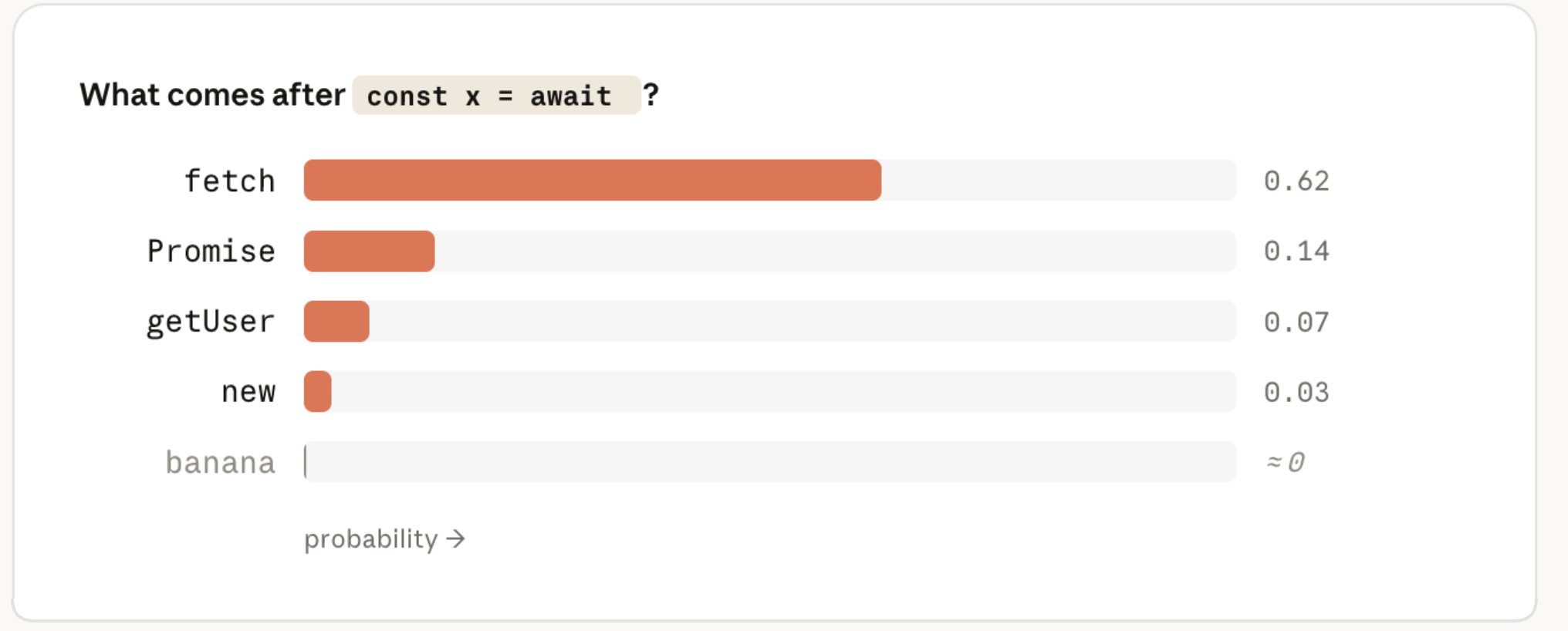
In simple words:
Claude does not “read” text exactly like humans do.
It processes tokens and predicts the next best token, again and again, until the answer is complete.
What Changing the Model Actually Means
Every model has something called weights.
You can think of weights as the knowledge, patterns, and capabilities Claude learned during training.
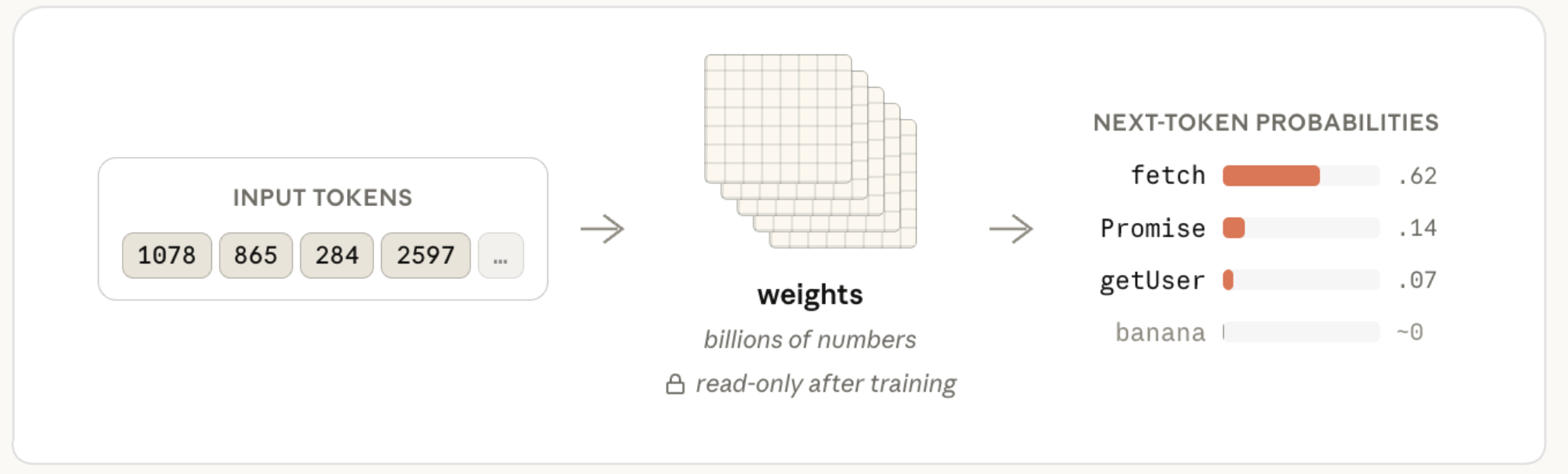
When you change the model, you are changing which set of weights handles your request.
That means you are changing the “brain” behind the answer.
Important note:
Giving Claude more context can guide it, but it does not permanently teach the model.
If you paste documentation into Claude Code, Claude can use it for that task, but the model itself does not permanently learn it.
Claude Generates Answers Step by Step
Claude does not create the full answer instantly.
It generates one token, then the next token, then the next.
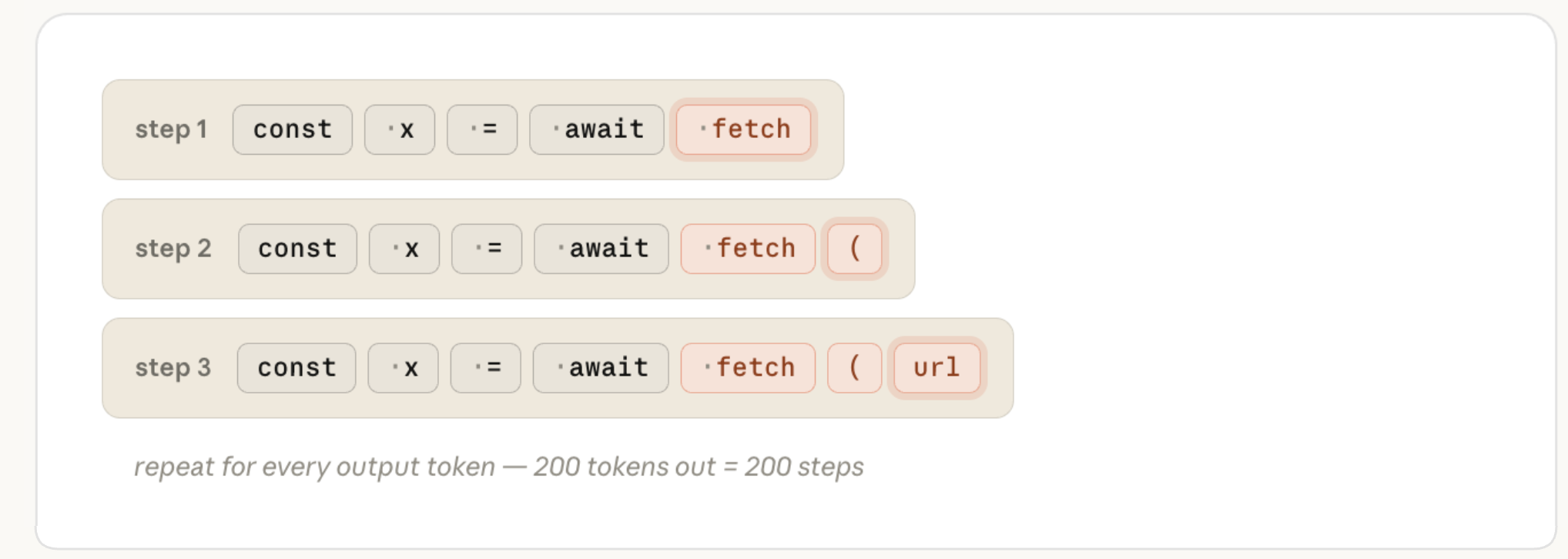
This is why longer tasks can take more time and cost more.
More investigation means more tokens.
More tool use means more tokens.
More verification means more tokens.
And this is where effort level becomes important.
Effort Level: Choosing How Carefully Claude Works
Effort level controls how much work Claude does before coming back to you.
Higher effort can make Claude:
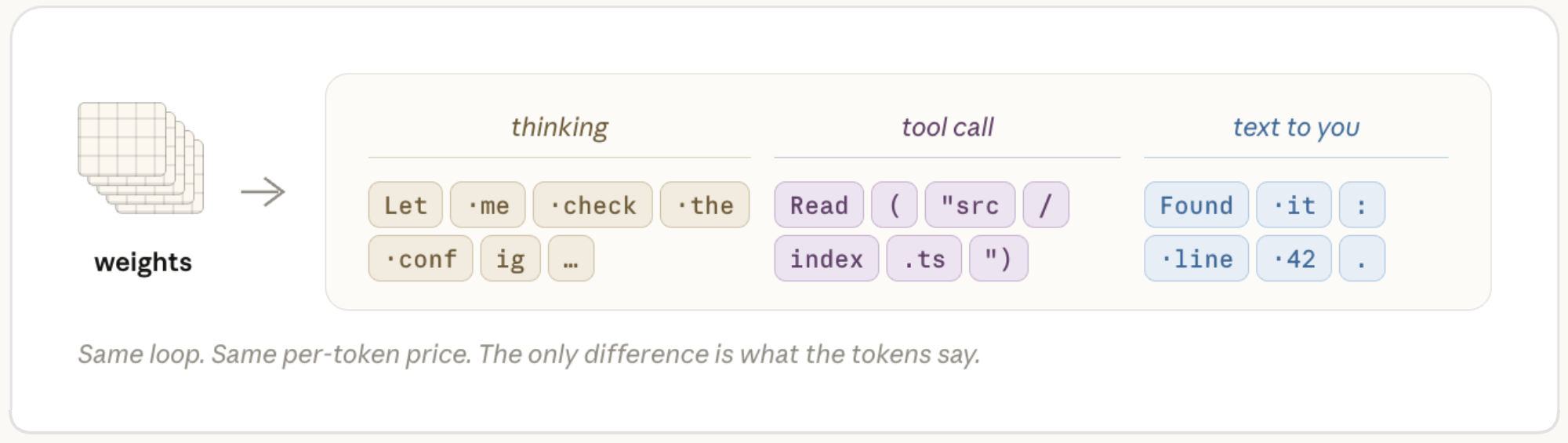
Simple rule:
If Claude is being lazy, shallow, or stopping too early, increase the effort level.
Low Effort vs High Effort
Low effort is faster.
High effort is more careful.
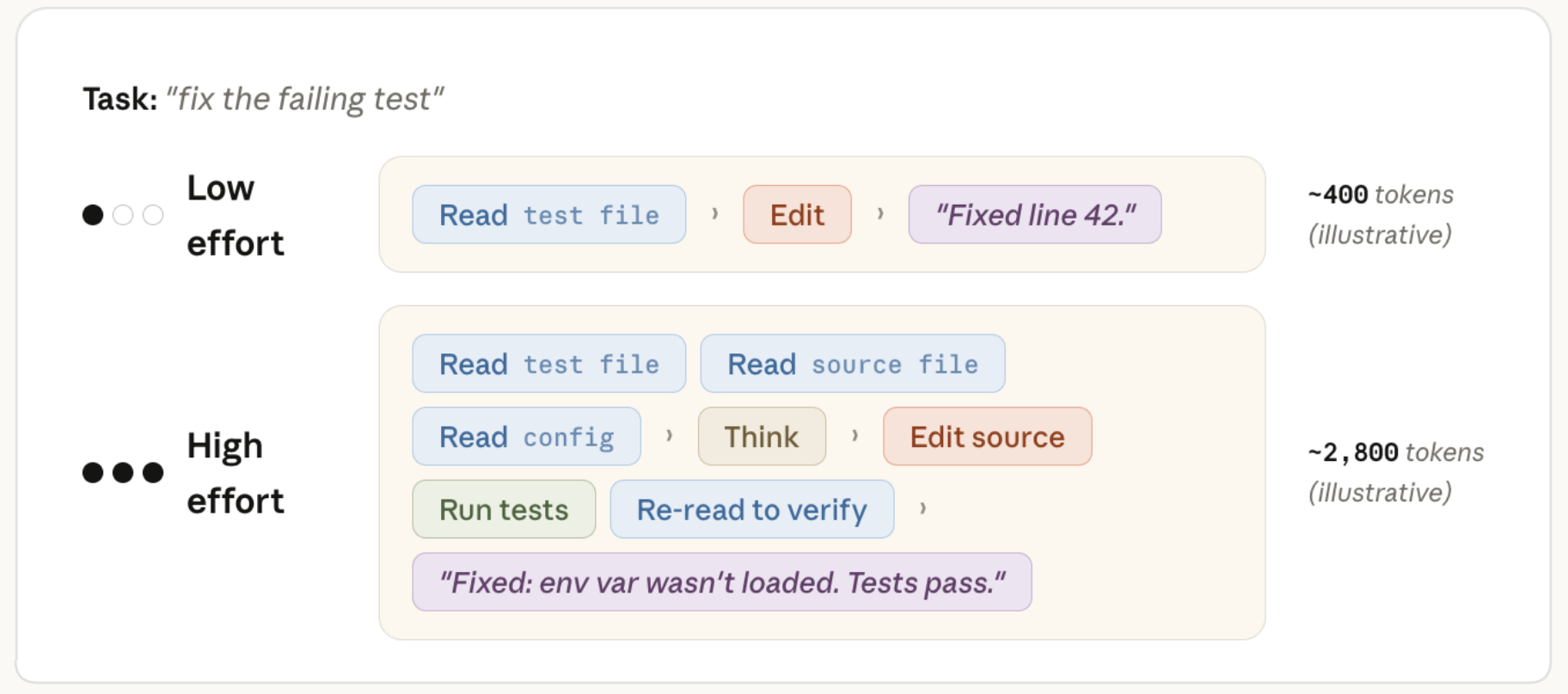
Here is the practical difference:
Effort level | Best for | Risk |
|---|
Low effort | quick answers, simple edits, small tasks | may skip investigation |
Default effort | most normal coding tasks | usually balanced |
High effort | bugs, refactors, production issues, complex tasks | uses more time and tokens |
Note:
High effort does not mean Claude will always waste time. If the task is simple, Claude can still finish quickly. But it is more willing to investigate when needed.
What to Do When Claude Gets It Wrong
This is the most useful part.
When Claude gives a weak result, do not randomly change settings.
Ask this:
Did Claude not know enough?
Or
Did Claude not try enough?
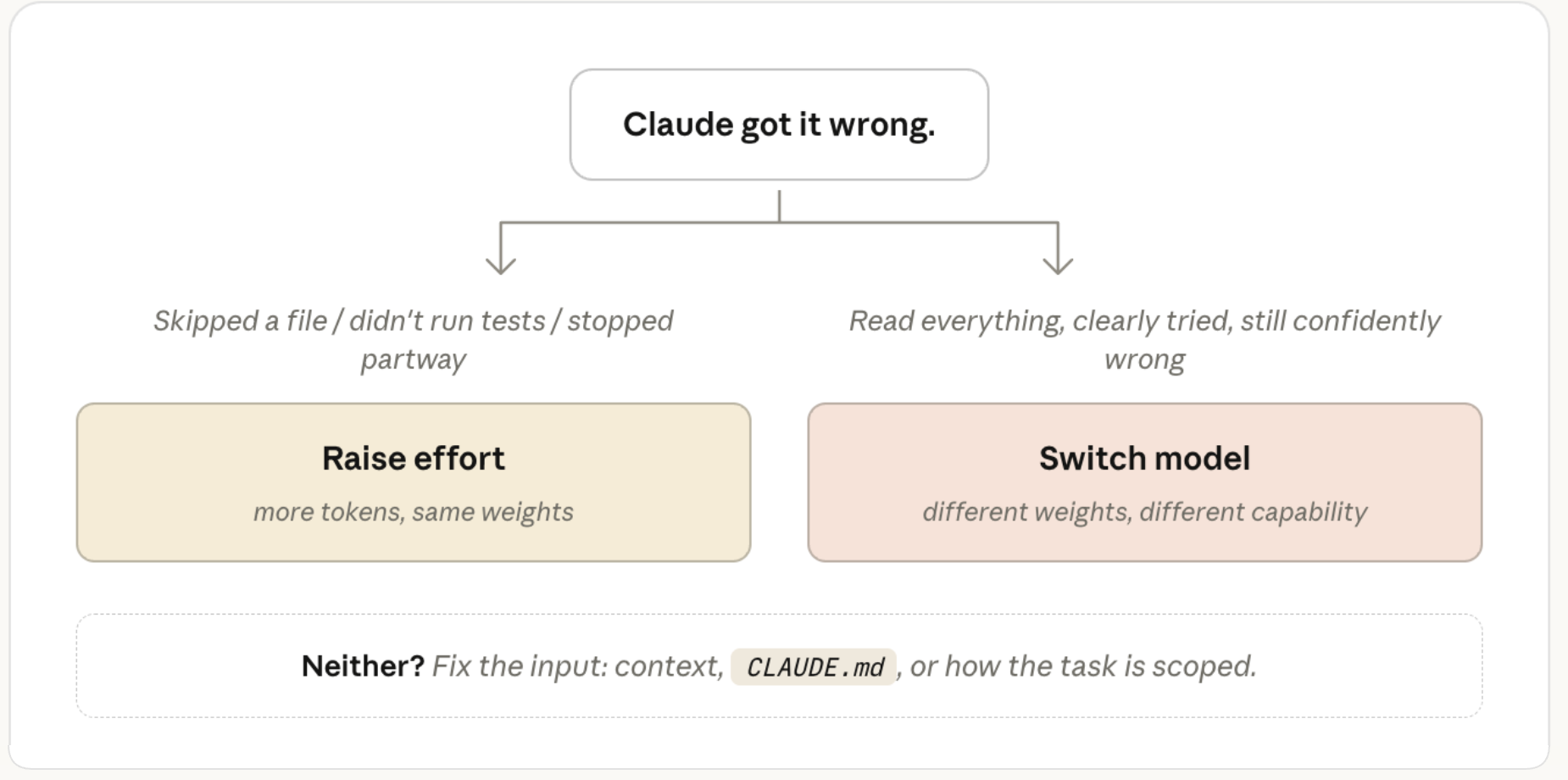
If Claude did not know enough
Use a stronger model.
This usually happens when:
the problem is genuinely difficult
Claude misunderstood the architecture
Claude gave a confident but wrong answer
the bug is subtle
the task needs deeper reasoning
If Claude did not try enough
Use higher effort.
This usually happens when:
Claude skipped files
Claude did not run tests
Claude stopped halfway through
Claude made assumptions too quickly
Claude did not verify the solution
If Claude had bad context
Fix the prompt or project setup first.
This usually happens when:
your prompt was vague
the right files were not included
your CLAUDE.md is missing or unclear
Claude does not know the project conventions
the task was too broad
Sonnet, Opus, and Fable Explained Simply
A simple way to understand the models:
Model | Simple description | Best use |
|---|
Sonnet | Strong generalist | most coding tasks |
Opus | Expert | complex debugging, architecture, ambiguous work |
Fable | Specialist | very hard problems where other models struggle |
Think of it this way:
Sonnet is like a strong all-round developer.
Opus is like an expert engineer.
Fable is like a specialist you call when the problem is unusually hard.
Practical note:
Do not use the biggest model for everything. Use the model that matches the difficulty of the work.
For Simple Tasks, Bigger Is Not Always Better
For routine tasks, a smaller model can often do the job perfectly well.
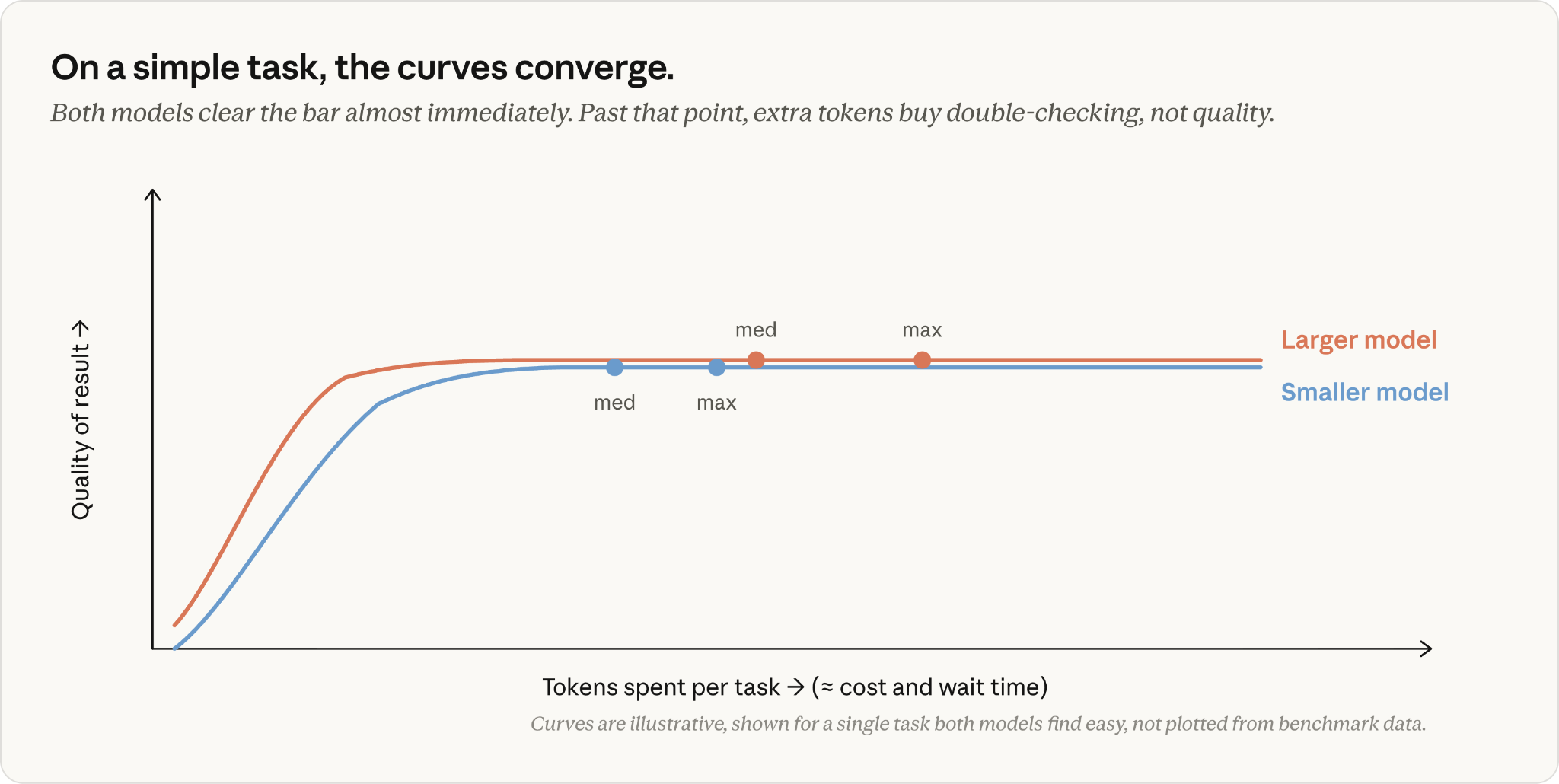
Example:
You ask Claude to update a button label, rename a variable, or change a small component.
A stronger model may still do it well, but the final result may not be much better.
You may simply spend more for the same outcome.
Rule of thumb:
If the task is easy to describe and easy to verify, you probably do not need the largest model.
For Hard Tasks, Bigger Models Can Save Time
For complex work, a stronger model can be worth it.
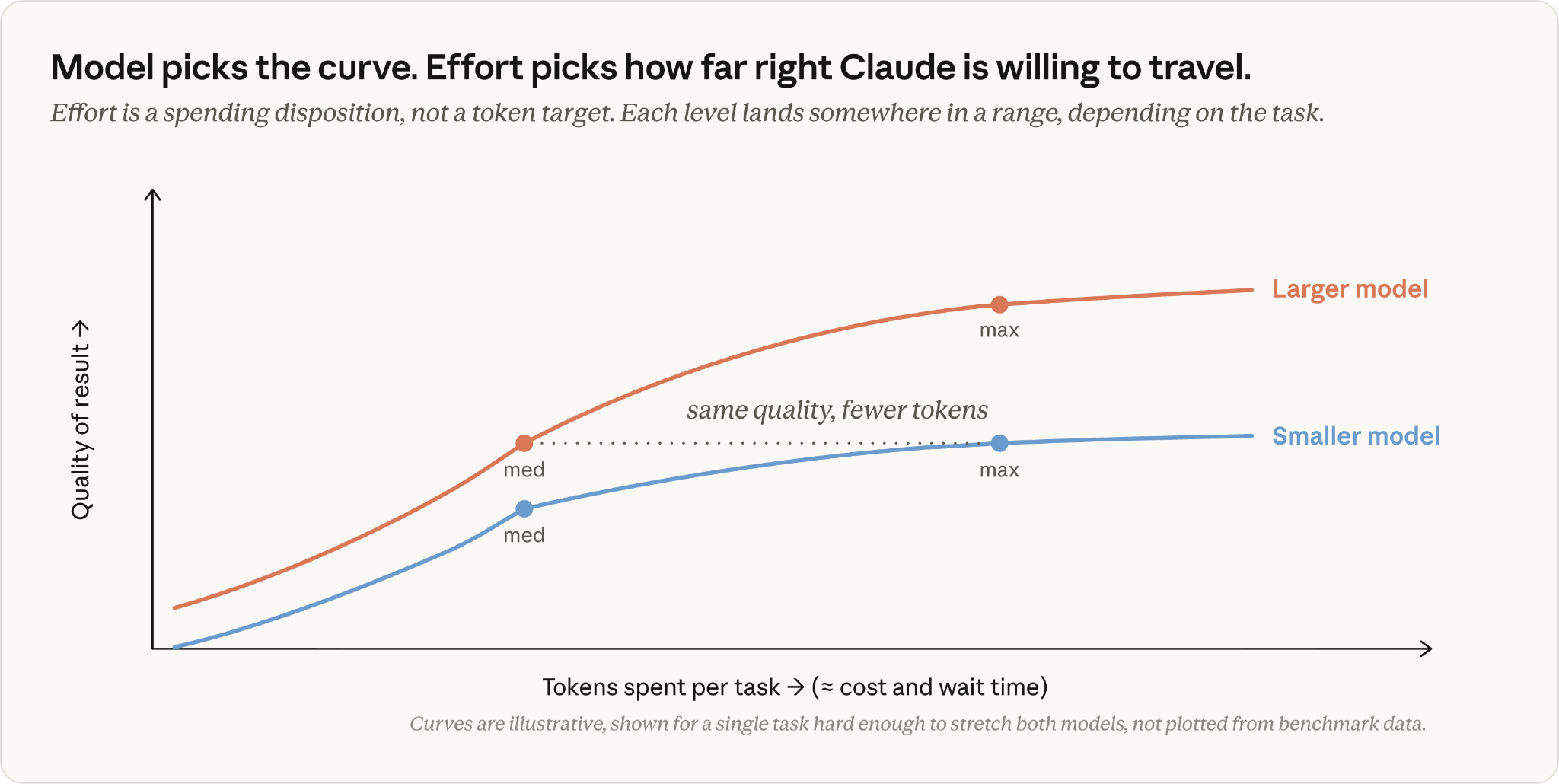
A smaller model may struggle, make multiple attempts, and still miss the real issue.
A stronger model may understand the problem faster and solve it with fewer corrections.
So even if the larger model costs more per token, it can sometimes be the better choice overall.
Especially for:
The Best Setup for Most People
Here is the practical cheat sheet:
Situation | Recommended choice |
|---|
Normal coding work | Sonnet + default effort |
Small edits | Sonnet or smaller model + low/default effort |
Important refactor | Sonnet or Opus + higher effort |
Complex bug | Opus + default/high effort |
Very hard issue | Fable |
Claude skipped checks | Increase effort |
Claude misunderstood the problem | Use a stronger model |
Claude lacked context | Improve prompt, files, or CLAUDE.md |
The Simplest Decision Tree
Use this whenever you are unsure:
Is the task routine?
Use Sonnet with default effort.
Is the task simple and very clear?
Use lower/default effort.
Is Claude skipping files or tests?
Increase effort.
Is Claude trying carefully but still wrong?
Use a stronger model.
Is the task extremely hard or unusual?
Use Fable.
Final Takeaway
Claude Code becomes much easier to use when you understand the difference between model and effort.
The model controls capability.
The effort level controls thoroughness.
So the next time Claude gives a weak result, do not just switch to the biggest model.
First ask:
Was the task too hard?
Use a stronger model.
Or:
Did Claude not check enough?
Increase effort.
Or:
Was the context unclear?
Improve the prompt and project instructions.
That simple framework can help you get better results from Claude Code while keeping speed, quality, and cost under control.
Source: Based on Anthropic’s article, “Choosing a Claude model and effort level in Claude Code,” published July 7, 2026.